How to Manage Watchlists and Viewing History Without Losing Them When Switching OTT Services
Switching OTT services rarely transfers the information that makes an account feel familiar. The new platform may carry the same series, but it will not normally know which episode you finished, which films you saved, how you rated previous titles, or why the old service recommended certain programs.
The safest approach is to preserve essential records before canceling or closing the old account. The backup should distinguish between programs currently in progress, high-priority titles saved for later, completed content, and personal ratings or notes. After that, only titles actually available on the new service need to be rebuilt.
Direct profile transfers do exist in limited situations. Netflix can move a profile between eligible Netflix accounts, including its viewing history, recommendations, My List, settings, and other profile information. Disney+ also supports profile transfers in certain account situations, while its current Hulu integration can move most eligible Hulu viewing history and saved titles into Disney+. These are transfers within connected service ecosystems, not a general method for moving data from one unrelated OTT platform to another.
For an ordinary move from Netflix to TVING, Disney+ to another provider, or any two unrelated services, assume that the watchlist and playback history will need to be recorded and rebuilt manually.
Preserve the Records That Would Be Difficult to Reconstruct
Not every item attached to an OTT profile deserves to be copied. A watchlist may contain hundreds of titles added casually over several years, many of which are no longer relevant. Trying to preserve everything creates unnecessary work and makes the new list as cluttered as the old one.
Begin with series that are currently in progress. Record the last fully completed season and episode rather than copying only what appears in Continue Watching. A platform may display an episode because it was opened accidentally, played by another household member, or stopped after only a few minutes.
Where possible, open the program page and confirm the exact installment. For a partially viewed episode, record both the episode number and an approximate playback position, such as “Season 3, Episode 6, about 24 minutes.” This is more reliable than assuming the new platform will resume at the same point.
Next, review saved titles and divide them by priority. Keep films or programs you expect to watch soon, titles that are difficult to find elsewhere, and works connected to a current viewing project. Remove items that were saved without a clear reason or are no longer appealing.
Completed films and series require a different decision. A casual viewer may only need enough information to avoid starting the same title again. A reviewer, film enthusiast, or person following a long franchise may want a permanent history containing dates, ratings, editions, and personal comments.
Netflix provides a useful example of an official backup option. Its Viewing Activity page lists the movies and programs watched under each profile and includes a Download All function that exports the history as a CSV file for spreadsheet software. An inactive account requires a broader information request to retrieve that history.
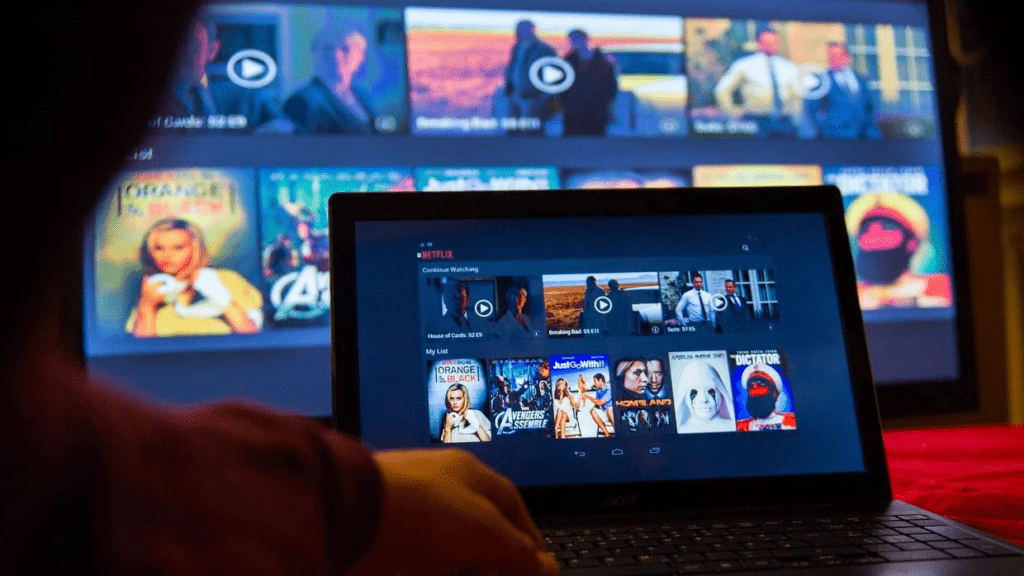
Other services may offer only a visible Watchlist, Continue Watching row, or account-history page. Disney+ officially directs users to its Watchlist for saved content and Continue Watching for unfinished programs, but these interface sections should be treated as working references rather than a portable archive.
When no official export exists, screenshots, notes, and spreadsheets remain the most practical options.
Match the Backup Method to the Size of the Library
Screenshots work well for a short watchlist or a few unfinished series. Capture the complete title, season, episode, and visible playback position. Do not rely on a cropped poster alone because localized artwork may make the title difficult to identify later.
A notes app is sufficient for viewers following only a few programs. A simple entry can contain the title, last completed episode, current service, and date updated.
A spreadsheet is more effective for subscription rotation or household viewing. Useful columns include:
Title
Original title
Content type
Viewing status
Last completed season and episode
Playback position
Current provider
Priority
Audio and subtitle preference
Personal rating
Date last updated
The original title field helps when a movie or series has different Korean, English, or romanized names across platforms. The provider field should describe where the program was last found, not imply that it will remain there permanently.
Use a limited group of viewing statuses such as Watching, Paused, Completed, Watch Later, Dropped, and Unavailable. This makes the record easier to filter when the next subscription changes.
An official data export should still be downloaded when available, even if the spreadsheet is maintained separately. The exported file may contain dates, ratings, or account interactions that were missed during manual review. Do not assume that another OTT platform can import the file directly. In most cases, it functions as a reference archive rather than a migration package.
Complete this backup before deleting a profile. Canceling billing and deleting account data are not always the same action, but retention rules vary and can change. A record stored independently remains accessible regardless of what the provider later retains.
Confirm What the New Service Actually Provides
Finding the same title on another platform does not prove that the viewing experience can continue without interruption. The new service may offer fewer seasons, omit special episodes, use a different edit, or lack the required subtitle or dubbing option.
Search for the Korean title, original-language title, and common English title. Imported programs are sometimes indexed under different translations, while individual seasons may appear as separate listings.
For each unfinished program, confirm the following details before adding it to the new watchlist:
The required season and episode are available.
The title is included in the selected subscription rather than offered for rent or purchase.
The required Korean subtitles, dubbing, or original audio are provided.
The platform carries the same cut, runtime, or episode structure.
The title is not scheduled to leave before it can be completed.
Catalogs and language options can change by country. Netflix, for example, states that moving to another country can change the available movies and programs as well as audio and subtitle options.
A long series can create additional problems. One service may carry all eight seasons, while another offers only the most recent three. An anime may contain the television episodes but omit an OVA or movie required between seasons. A foreign drama may be available with English subtitles but not Korean subtitles.
Do not rebuild a title simply because it appears in search. Open its detail page and verify the exact version. Mark unavailable programs in the master list instead of deleting them. This preserves the viewing position for a future service change or catalog update.

External Trackers Reduce Dependence on One Provider
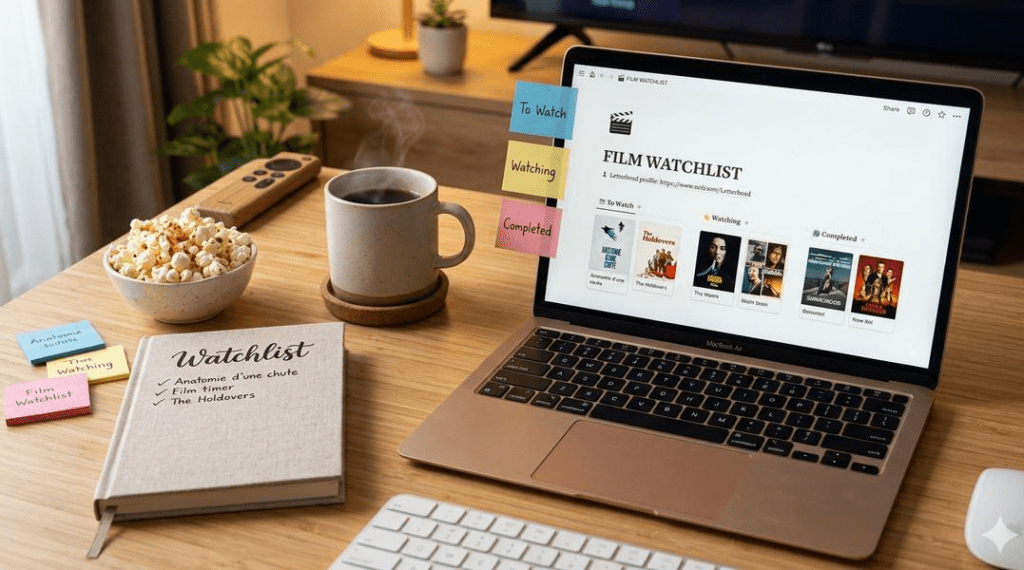
An independent tracker keeps the main viewing record outside any single OTT account. It can be especially useful for viewers who rotate subscriptions, follow programs on several services, or want one searchable list.
JustWatch currently combines availability search across providers with a unified watchlist. Its television-tracking feature can record watched seasons and episodes, separate programs into categories such as Continue Watching and Caught Up, and notify app users when new installments become available.
Letterboxd is better suited to film-focused viewing. It provides a watchlist, watched status, ratings, reviews, tags, and a diary that records viewing dates. It also supports CSV imports and provides an account export bundle containing lists, diary entries, ratings, reviews, and other account records. It is less suitable as the sole tracker for detailed episode-by-episode television progress.
Older advice may also recommend TV Time for movies and television. As of August 2026, however, the official TV Time site displays a farewell message thanking its former community rather than presenting an active tracking service. It should not be selected as the only location for a new long-term viewing archive.
An external tracker should not become another single point of failure. Export its data periodically when that function is available, or keep a basic spreadsheet containing irreplaceable progress information.
Privacy also matters. Watchlists, search activity, ratings, and completed titles can reveal detailed interests and habits. JustWatch’s privacy information explains that it processes browsing and service-use data, while Letterboxd notes that profiles, reviews, and lists are generally public unless the relevant list or watchlist is set to private. Review visibility, export, deletion, and connected-account settings before importing a large viewing history.
Avoid browser extensions or unofficial applications that request the OTT password directly. Prefer manual entry, official exports, or recognized authorization methods that do not expose account credentials.
Rebuild Only the Titles That Fit the New Library
A backup is not a command to recreate the old watchlist exactly. It is a reference that allows the useful portion to be rebuilt.
Begin with programs marked Watching. Add them to the new service only after confirming that the necessary episodes and language options are present. Then add high-priority Watch Later titles that are included in the subscription.
Leave low-priority and unavailable content in the independent master record. Adding hundreds of unavailable films to the new platform provides little benefit and may distort its recommendations before the account has learned the viewer’s current preferences.
Before committing to the replacement subscription, review How to Compare Genre Libraries When Choosing an OTT Platform Based on Movie Preferences. A service that carries one unfinished series may still be a weak long-term choice when it lacks the viewer’s preferred subgenres, languages, or included films.
The cost of keeping the old subscription should also be reviewed. One additional month may be reasonable when only a few episodes remain and no alternative provider carries them. Keeping a recurring membership indefinitely for one unfinished title usually provides poor value.
Compare the monthly renewal cost with a legal rental, purchase, or temporary return to the service at a later date. Record the decision in the master list so the title is not forgotten after cancellation.
Recommendation Profiles Cannot Be Recreated Through a Watchlist
A watchlist can be copied manually, but the old recommendation profile usually cannot. OTT recommendations may reflect completed titles, abandoned programs, ratings, searches, viewing time, profile language, repeated genres, and other account interactions.
Netflix confirms that hiding a title from viewing history removes it from Continue Watching and prevents that viewing event from being used for recommendations unless the title is watched again. This illustrates why copying a list of names cannot reproduce the complete recommendation state.
Disney+ likewise describes its service as personalized according to viewing preferences and habits. Those signals remain inside the platform unless an officially supported profile transfer preserves them within the same ecosystem.
The recommendation engine on the new service must be trained again. During the first few weeks, use the available feedback tools consistently. Mark completed programs accurately, rate titles when the platform allows it, and select options such as Like, Dislike, or Not Interested rather than leaving unwanted recommendations untouched.
Separate profiles should be used for household members with different viewing habits. Mixing children’s content, sports, documentaries, dramas, and another person’s viewing under one profile makes the new recommendation system less precise.
Avoid playing unfamiliar titles briefly only to test them. Some platforms may interpret the activity as interest even when the program is abandoned. Search and browsing behavior can also influence what is promoted, so purposeful early use helps the service identify the profile more quickly.
Personal notes can preserve the parts of an old recommendation profile that are under the viewer’s control. Record favorite genres, directors, actors, countries, studios, and disliked themes. This information can guide searches on the new platform even though the original algorithmic signals are gone.
Maintain One Master Record for Future Switches
After the migration, choose one service-independent record as the permanent source of truth. The OTT watchlist can still be used for immediate convenience, but important progress should not exist only inside it.
Update the master record after finishing a film, completing a season, pausing a series, changing providers, or discovering that a title has left a catalog. Exact minute-by-minute tracking is unnecessary for most programs. The last fully completed episode is usually enough.
Review the record before each subscription renewal. Titles marked Watching show what still needs to be completed. Watch Later entries reveal whether the service still contains enough unused value. Completed and Dropped titles require no migration work.
Export or copy the independent record periodically. A tracker can close, change its features, lose integrations, or introduce new privacy terms just as an OTT service can remove content.
The objective is not to reproduce the previous account perfectly. It is to retain enough reliable information to resume unfinished programs, preserve meaningful viewing history, locate saved titles, and rebuild recommendations without starting from memory. Once that information belongs to the viewer rather than one platform, switching OTT services becomes a controlled update instead of a complete reset.