How the Delay Difference Between TV and Mobile Broadcasts Affects Real-Time Cheering
Two viewers can watch the same live match and react at noticeably different times. A person following the television broadcast may already be celebrating a goal while someone using a mobile OTT app is still watching the attack develop. The mobile viewer might hear neighbors cheering, receive a score notification, or see a group-chat message before the play reaches the screen. Neither feed is completely instantaneous. Cameras, production equipment, signal processing, distribution networks, and receiving devices all introduce some delay. The important difference is that traditional television and internet streaming move the program through different delivery systems.
Ofcom’s 2026 guidance estimates a delay of roughly 5 to 20 seconds for terrestrial, cable, or satellite television. Streamed video services may be about 30 to 100 seconds behind the event. These ranges are not fixed measurements for every broadcaster, but they show why a stream described as “live” can arrive much later than a television signal. That timing gap matters during football, baseball, motorsport, esports, concerts, award shows, and other events in which the shared reaction is part of the experience. Understanding where the delay comes from makes it easier to organize a watch party, participate in live chat, and avoid hearing the outcome from another screen.
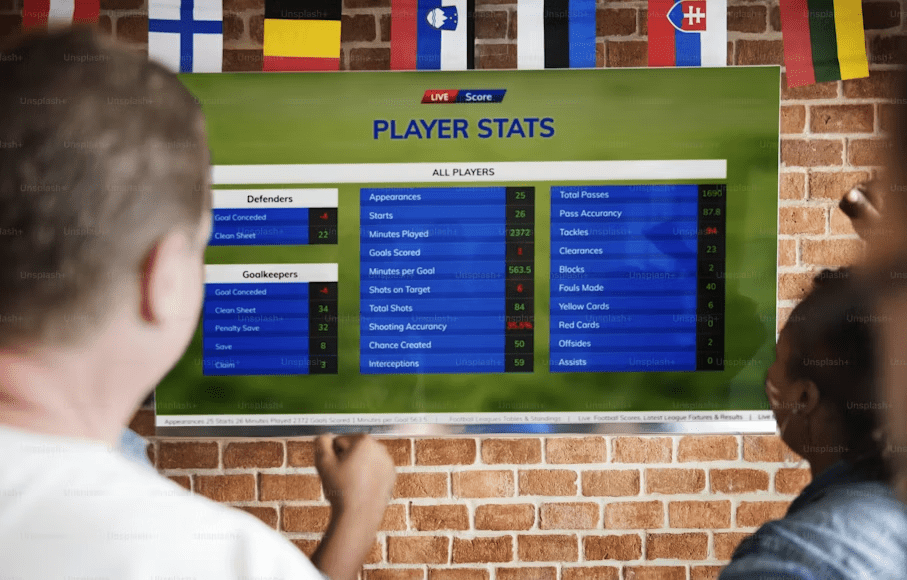
Television and Mobile Use Different Live Timelines
A traditional television signal travels through a broadcast network designed to deliver the same scheduled program to a large audience. The signal still passes through production, encoding, transmission, reception, and decoding, so television is not showing the event at the exact instant it occurs.
Internet streaming requires additional decisions about how the video will reach people using different devices and network conditions. The service must prepare the live feed, divide it into deliverable sections, distribute those sections through servers, and provide a version that the viewer’s phone, tablet, browser, or smart television can play reliably.
The streaming player usually keeps some video ready in advance. This buffer protects the program from stopping whenever internet performance changes briefly. The benefit is smoother playback. The cost is that the viewer remains farther behind the event.
As a result, the word “live” should be understood as a delivery category rather than a promise that every screen is synchronized. Two platforms can legally and accurately describe the same match as live while showing it at different points in time.
The gap may also change during the event. A television feed can remain relatively stable while a mobile stream falls farther behind after a network interruption. The mobile player may pause, collect more data, and continue from the delayed position instead of skipping forward to the newest available moment.
Streaming Delay Builds Across Several Stages
Mobile latency is not caused by one slow connection. It accumulates throughout the streaming chain.
The original broadcast must first be encoded into digital video. A streaming service may create several quality levels so that viewers with different screen sizes and connection speeds can receive a suitable version.
The video is then divided into segments and sent through a content delivery network. Traditional HLS commonly delivers complete segments before the player begins using them. AWS states that standard HLS typically produces about 18 to 30 seconds of latency, while Low-Latency HLS can reduce this to approximately 3 to 5 seconds by delivering partial segments sooner.
The player must also select an appropriate quality level, download enough material to maintain stable playback, decode the video, and display it on the device. Apple describes HLS as a system that adapts to changing wired and wireless network conditions, allowing playback to continue at a quality the available connection can support.
This adaptive behavior explains why a faster speed-test result does not always produce a stream that is closer to the event. Additional bandwidth may allow a higher-resolution picture and reduce interruptions, but it cannot remove delay already introduced by the broadcaster’s encoding settings, segment structure, CDN, or player buffer.
The service may also deliberately retain a larger delay during a major event. A generous buffer provides more protection when millions of people are watching and network conditions vary widely. The platform is balancing two competing goals: reaching viewers quickly and preventing the stream from repeatedly freezing.
Real-Time Cheering Breaks Down Before Playback Does
A delayed stream can play perfectly and still provide a poor shared-viewing experience.
Suppose a television feed is 12 seconds behind the stadium while a mobile stream is 45 seconds behind. The mobile viewer is not merely 33 seconds behind the television. The person is also vulnerable to every source of information operating closer to the event.
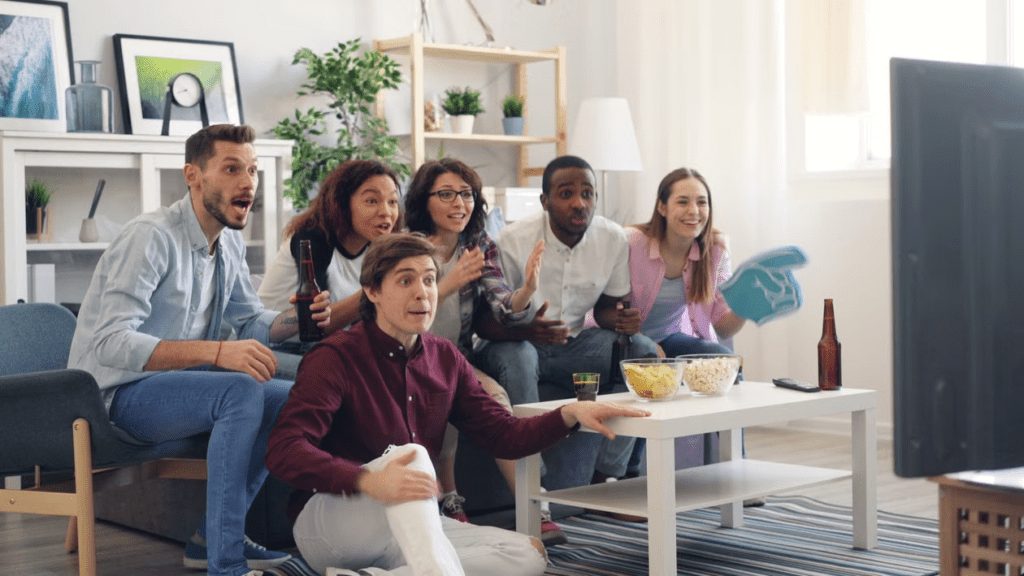
Neighbors may shout after a goal. A score application may update. A friend watching television may post in the group chat. A sports website may send a push notification. The streaming platform’s own live discussion may react before the viewer sees the play.
This changes the emotional rhythm of the match. A promising attack becomes predictable after someone in the room celebrates. A penalty loses its tension when a notification already names the scorer. An esports final becomes difficult to follow when chat participants discuss a result that remains several plays ahead of the video.
The problem is especially noticeable during watch parties divided across locations. Participants may believe they are watching together, yet one person consistently reacts first. Others may begin asking that viewer to remain silent, which removes much of the value of the group conversation.
A delay does not need to be close to one minute to cause disruption. A difference of only several seconds can reveal a goal, knockout, finish-line result, or award winner before it appears elsewhere.
Mobile Viewers Can Drift Apart on the Same Service
Using the same OTT platform does not guarantee that every viewer will be synchronized.
One person may be connected through stable home Wi-Fi, while another is using a variable 5G connection. Their players can select different quality levels and maintain different buffer sizes. An older phone may also take longer to decode a high-resolution stream than a newer device.
Playback history during the event creates further differences. A viewer who pauses for ten seconds normally resumes from the paused position rather than jumping automatically to the current live edge. Someone whose stream buffers twice may fall behind a friend whose connection remained stable.
Applications can behave differently from browsers. A smart television app, mobile app, and desktop web player may use separate playback configurations even when they access the same provider. Device power-saving features and background-app restrictions can also interfere with continuous playback.
Users should first determine whether a player offers a “Go Live,” “Jump to Live,” or similar control. Selecting it may reduce delay that accumulated after a pause or interruption. It cannot remove the platform’s built-in latency, but it can return the viewer to the newest point the service currently offers.
Before beginning a group chat, participants should agree on one reference screen. The reference might be the television in the main room or one designated OTT stream. Other viewers can then adjust their behavior rather than assuming every feed shows the same second of action.
Low-Latency Modes Exchange Stability for Speed
Low-latency streaming reduces the amount of video that must be prepared before playback. This brings the viewer closer to the live event and makes chat, audience voting, and shared reactions more natural.
YouTube states that most viewers of an ultra-low-latency stream experience a delay of less than five seconds. It also warns that the setting increases the likelihood of buffering and does not support 4K resolution.
The trade-off is straightforward. A large buffer can absorb temporary network problems without interrupting the picture. A smaller buffer provides less protection. When the connection slows, the low-latency viewer may see reduced image quality, freezing, or repeated loading.
Apple’s Low-Latency HLS technology is designed to bring internet delivery into the range of conventional television latency while preserving the scalability of HLS. Apple has also described delays of two seconds or less in suitable implementations and highlights improved social interaction as one of the intended benefits.
These figures describe technical capabilities rather than a guarantee for every consumer service. The final result still depends on the broadcaster, streaming provider, network path, player configuration, and viewing device.
Low-latency mode is most valuable when interaction matters more than maximum image quality. A viewer participating in live commentary, betting where legally permitted, audience voting, or a synchronized watch party may prefer the shorter delay. Someone watching alone on an unstable connection may receive a better experience from the normal mode.
Test the setting before an important match. If it repeatedly buffers on the available network, the ordinary stream may be more enjoyable even though it arrives later.
One Reference Screen Keeps a Watch Party Together
A mixed television-and-mobile watch party needs an agreed timing rule.
The simplest approach is to place everyone on the same platform and, where possible, the same type of device. Several viewers using the same application on similar hardware are more likely to remain close together than a group divided between broadcast television, satellite, web browsers, and mobile streams.
Even identical devices may drift, so one screen should serve as the reference. Participants in the room can react according to that display. Remote viewers can use a short verbal cue at a neutral moment, such as the start of a half or inning, to estimate who is ahead.
The fastest viewer should avoid sending immediate messages when others are significantly behind. A television viewer can wait until the group’s reference stream reaches the event before posting a reaction. This requires discipline, but it prevents every major play from becoming a spoiler.
Another option is to move all participants to the same low-latency stream. This may make the entire group later than the television broadcast, but the reactions will be more closely aligned with one another. Shared timing is often more important to a watch party than being the first audience to see the play.
People who cannot watch live may need a different strategy. How to Avoid Spoilers When Looking for a Replay Without Knowing the Match Result provides a practical route for reaching the full replay without encountering scores, thumbnails, comments, or result notifications.
Notifications Must Follow the Slowest Screen
A viewer should assume that score alerts and social platforms are closer to the event than the slowest stream in the group.
Before kickoff or the opening ceremony, disable notifications from sports apps, broadcasters, teams, players, news services, and social networks. Lock-screen previews should also be hidden because a single sentence can reveal the key moment before the video reaches it.
Mute group chats when participants are watching through different delivery methods. The fastest viewer may post a harmless-looking celebration emoji, but that reaction still tells mobile viewers what is about to happen.
Live platform chat deserves the same caution. The comments may be synchronized with viewers using a faster version of the stream or with people attending the event in person. Closing chat is safer than assuming every message follows the same playback point.
Nearby television audio can also spoil a mobile stream. Headphones may help when the faster screen cannot be muted. During a public viewing event, moving every screen onto the same source is more reliable than trying to delay individual reactions.
These precautions should remain active until the match ends on the slowest device. Restoring notifications during halftime or another break can immediately expose the current score or a major incident that has not yet appeared on that screen.
A Faster Connection Mainly Improves Stability
A poor connection can increase delay because the player needs to pause, lower the video quality, or expand its buffer. Improving the connection is therefore useful, but it does not guarantee television-level timing.
Use a wired connection for a smart television or computer where practical. On mobile devices, stable Wi-Fi may provide more consistent performance than a congested cellular connection. Close downloads, cloud backups, large software updates, and other activity competing for bandwidth.
Keep the streaming application updated and restart it before a major event if it has been running in the background for a long time. Confirm that the device has sufficient memory and is not operating in a restrictive power-saving mode.
Select the low-latency option only when it remains stable. Repeated buffering can leave the viewer farther behind than the normal stream would have been.
After pausing or experiencing an interruption, use the player’s live-edge control rather than assuming playback has caught up automatically. This single step often removes delay accumulated during the viewer’s own session.
Traditional television is often better when the priority is reacting with people nearby, following radio commentary, or avoiding information from faster sources. Ofcom’s estimates illustrate that television usually sits closer to the event than conventional streamed video, although both remain delayed. Mobile streaming provides portability, personal controls, alternative commentary, and access away from a television. It may be the better choice when convenience matters more than matching the reactions of people watching through broadcast TV.
For remote group viewing, uniformity usually produces a better experience than selecting the theoretically fastest source. Everyone using one service and similar playback settings can remain closer together, even if the entire group is behind the television audience. For individual viewing, the choice is simpler. Use low latency when live interaction is important and the connection can support it. Use normal latency when uninterrupted playback and higher resolution matter more.
The practical lesson is not that television is always immediate or that mobile streaming is always excessively late. It is that each viewer can occupy a different point on the event timeline. Real-time cheering works only after the group recognizes that difference, selects a reference screen, controls faster sources of information, and chooses whether synchronization or playback stability matters most.